Full-Stack Application Development with Laravel and ReactJS

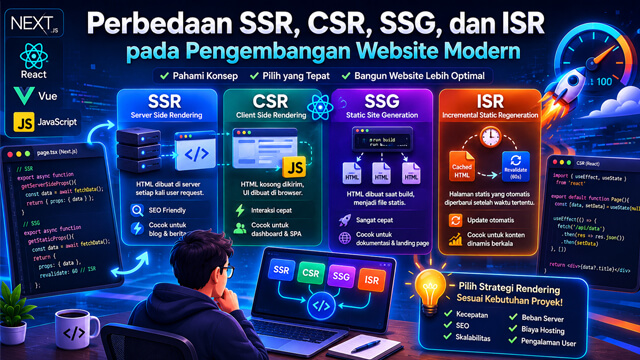
In modern web development, many developers choose Laravel and ReactJS as their combination for building full-stack applications. Laravel is used on the backend (server side), while ReactJS handles the frontend (user interface).
By combining both, you can build powerful, dynamic, and easy-to-maintain applications. This article explains the basic steps to create a full-stack app using Laravel and ReactJS.
1. Why Use Laravel and ReactJS
Laravel is a popular PHP framework known for its clean syntax, built-in security, routing, and database migrations.
ReactJS is a JavaScript library that helps build interactive user interfaces by breaking pages into reusable components.
Combining both gives you a stable backend and a modern, reactive frontend.
2. Setting Up the Environment
Before starting, make sure you have:
-
PHP and Composer (for Laravel)
-
Node.js and npm (for React)
-
A text editor (like VSCode)
3. Creating a Laravel Project
First, create a new Laravel project:
composer create-project laravel/laravel laravel-react
cd laravel-react
Run Laravel’s built-in server:
php artisan serve
4. Setting Up ReactJS
ReactJS is usually integrated using Vite (Laravel now supports Vite by default). Laravel provides presets for React.
Install ReactJS in your Laravel project:
npm install
npm install react react-dom
Edit the resources/js/app.jsx (or app.js):
import React from 'react';
import ReactDOM from 'react-dom/client';

function App() {
  return <h1>Hello from React in Laravel!</h1>;
}

const root = ReactDOM.createRoot(document.getElementById('root'));
root.render(<App />);
5. Create a View to Mount React
In Laravel, create a Blade file resources/views/welcome.blade.php:
<!DOCTYPE html>
<html>
<head>
    <title>Laravel + ReactJS App</title>
    @viteReactRefresh
    @vite('resources/js/app.jsx')
</head>
<body>
    <div id="root"></div>
</body>
</html>
Make sure the div with id="root" matches the React target.
6. Run Vite
To see the result, run Vite:
npm run dev
Open your browser. You should see Hello from React in Laravel!
7. Example Full-Stack Workflow
-
Laravel handles API creation using
Route::apiResourceorRoute::get. -
ReactJS fetches data from Laravel’s API using fetch or axios.
-
The data is then displayed in React components.
Example API route in Laravel (routes/api.php):
Route::get('/user', function () {
    return ['name' => 'Budi', 'email' => '[email protected]'];
});
Example API call in ReactJS:
import { useEffect, useState } from 'react';

function App() {
  const [user, setUser] = useState({});

  useEffect(() => {
    fetch('/api/user')
      .then(res => res.json())
      .then(data => setUser(data));
  }, []);

  return (
    <div>
      <h1>Name: {user.name}</h1>
      <p>Email: {user.email}</p>
    </div>
  );
}

export default App;
8. Practical Tips
-
Use
axiosfor more flexible HTTP requests. -
Split your React components for better structure.
-
Use
.envto manage API URLs. -
Use Laravel Sanctum or Passport for API authentication.
Conclusion
Building a full-stack app with Laravel and ReactJS gives you great opportunities to create modern web applications. Laravel handles the logic, database, and security. ReactJS makes your app’s interface dynamic and interactive. With practice, you will better understand how they work together.