Migrating an Old Website to New Technology Without Losing Visitors
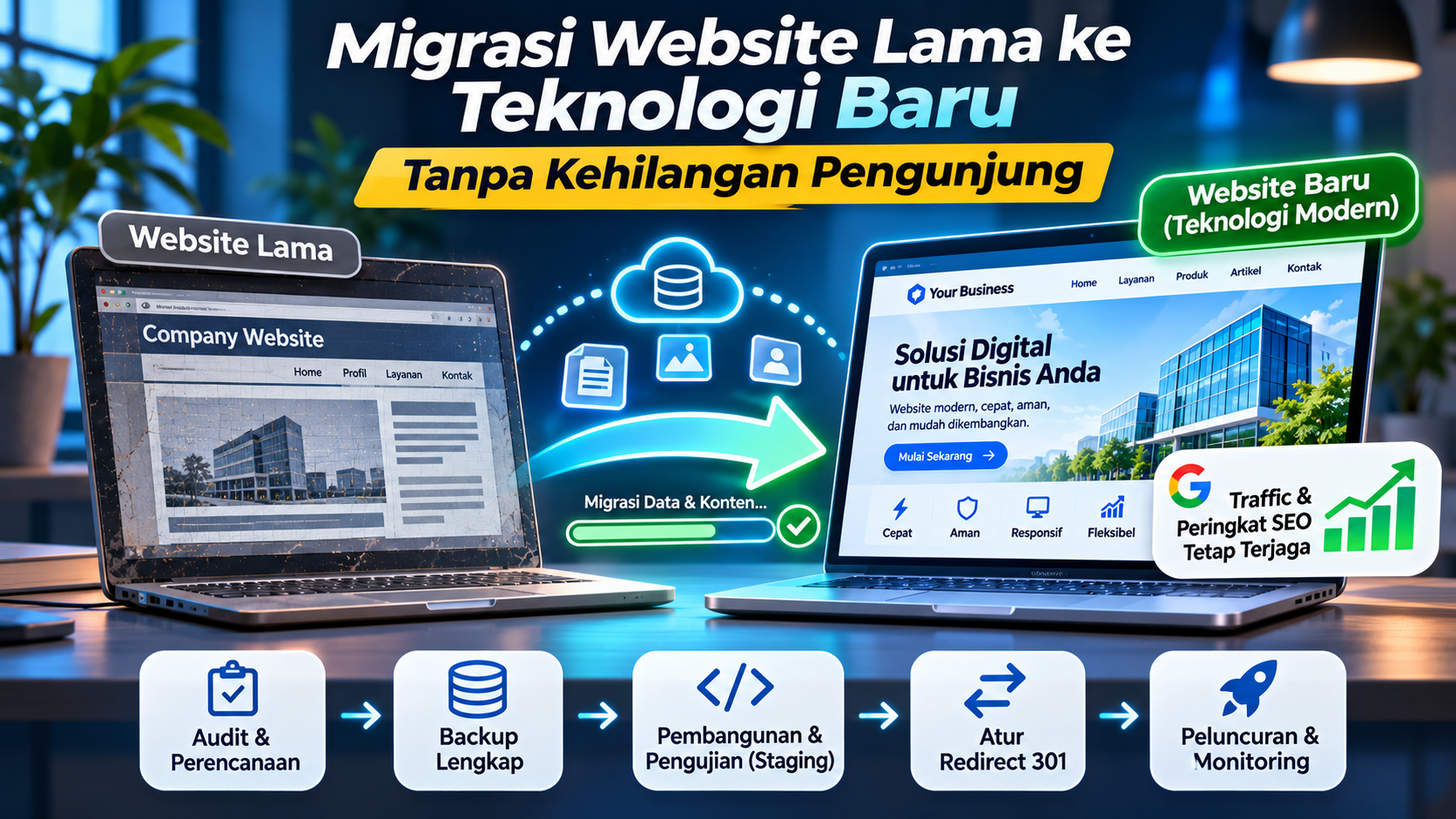
Website technology continues to evolve. Frameworks, programming languages, content management systems (CMS), and server infrastructure are constantly improving to provide better performance, security, and user experiences.
For business owners, these changes may create a reason to upgrade a website that has been running for years. A website built with older technology may become difficult to maintain, perform poorly, or fail to support current business requirements.
One possible solution is migrating the website to a more modern technology stack.
However, website migration is not as simple as moving files from one server to another. There are many things to consider, especially when your website already has regular visitors, indexed pages on Google, backlinks, and returning customers.
Imagine a business website that receives thousands of visitors every month. After migration, the page URLs change, old links stop working, and website traffic begins to decline. Pages that previously appeared on the first page of Google may also lose their rankings.
This is certainly not the result any business owner wants.
That is why website migration needs careful planning. The goal is to upgrade the technology without sacrificing the digital assets that have been built over the years.
This article explains how to migrate an old website to new technology, covering preparation, data migration, SEO configuration, and post-launch monitoring.
1. Why Should You Migrate Your Website to New Technology?
Not every old website needs to be migrated immediately. If your current system works properly, remains secure, and meets your business requirements, keeping the existing technology may still be the best decision.
However, several situations may indicate that migration is worth considering.
Your technology no longer receives updates
Websites built with unsupported frameworks, CMS platforms, or programming language versions may experience compatibility and security problems.
Without security updates, the risk of vulnerabilities being exploited by attackers can increase.
Adding new features becomes difficult
Your old website may not have been designed to support current business requirements. Adding payment systems, API integrations, customer dashboards, or other features may require extensive code modifications.
Website performance is no longer optimal
Older technologies, inefficient code structures, and outdated components can make it difficult to optimize website performance.
Maintenance costs continue to increase
Legacy systems sometimes require developers with specialized knowledge. If fewer developers understand the technology, development and maintenance costs may increase.
Your business requirements have changed
A website that originally served as a simple company profile may now need to support product catalogs, online transactions, customer management, or internal system integrations.
If several of these situations apply to your website, migration may be a worthwhile investment.
2. Audit Your Existing Website Before Migration
Before moving your website to a new technology stack, the first step is understanding the current condition of your website.
Do not immediately start development just because you want to use a newer framework or CMS.
Perform an audit to identify what needs to be preserved, improved, or replaced.
Here are some important areas to review.
Website page structure
Document all existing pages, including the homepage, service pages, product categories, articles, contact pages, and other important sections.
URL inventory
Save all existing URLs. These addresses are important because they may already be indexed by Google, shared on social media, or linked from other websites.
Database and content
Identify all data that needs to be migrated, such as articles, products, categories, user accounts, comments, images, and other information.
Website features
Document the features currently being used, including contact forms, search functionality, login systems, transactions, dashboards, and third-party integrations.
Performance and SEO
Review your most visited pages, keywords that generate traffic, pages with backlinks, and website performance through Google Search Console and Google Analytics, if available.
Website infrastructure
Record important information about your domain, hosting, server configuration, PHP version, database, SSL certificate, DNS, scheduled tasks, and external services.
The audit results will become your migration reference. This helps prevent important data and features from being forgotten.
3. Choose New Technology That Matches Your Requirements
After understanding your existing website, the next step is selecting the technology for the new system.
There are many technologies available for website development, including WordPress, Laravel, Yii2, CodeIgniter, Next.js, React, and other frameworks.
However, you should not choose a technology simply because it is popular.
The right technology should match your application requirements, development team's capabilities, maintenance needs, security expectations, and long-term business plans.
For example:
-
A simple company profile website may only require an easy-to-manage CMS.
-
A website with custom business functionality may benefit from a framework such as Laravel or Yii2.
-
A website that requires interactive user experiences may use React or Next.js.
-
A website with complex integrations may require separate frontend and backend architectures.
You should also consider documentation quality, community support, update availability, and how easy it will be to find developers who can maintain the system.
Remember, the purpose of migration is not simply to use new technology. It is to build a better system that supports your business requirements.
4. Create a Complete Backup Before Starting the Migration
Before making changes to your existing website, make sure all important data has been backed up.
Backups are one of the most important parts of website migration because errors can occur during data transfers and system configuration.
At a minimum, create backups of the following:
-
All website files.
-
The database.
-
Images, documents, and other media files.
-
Server configuration.
-
Application configuration files.
-
DNS and domain settings.
-
Important data from external services.
Store backups in a location separate from your primary server. If possible, keep more than one copy.
Do not forget to test your backups. A backup that has never been tested may not work when you actually need it.
Also, avoid deleting your old website immediately after migration. Keep a copy of the previous system until the new website has been confirmed to work properly.
5. Preserve Your Existing URL Structure
This is one of the most important parts of website migration, especially if your website already receives visitors from search engines.
A URL is the address used to access a website page.
For example:
https://example.com/articles/how-to-build-a-website
If this URL is already recognized by Google and regularly visited by users, you should consider keeping it during migration.
Problems can occur when the new website uses a different URL structure.
For example, the old page uses:
https://example.com/articles/how-to-build-a-website
After migration, the address changes to:
https://example.com/blog/how-to-build-a-website
If the old URL is not redirected to the new one, visitors who open the original address may encounter a 404 error.
Search engines also need to understand that the old page has moved.
What should you do?
Whenever possible, preserve the existing URLs.
If changing the URL structure is necessary, create a mapping between the old and new URLs. This process is known as URL mapping.
For example:
| Old URL | New URL |
|---|---|
/articles/business-website |
/blog/business-website |
/services/web-development |
/solutions/web-development |
/products/category-a |
/catalog/category-a |
Make sure every old URL points to the most relevant new page.
6. Use 301 Redirects for Changed URLs
If you cannot preserve the existing URL structure, use 301 redirects to send visitors from old addresses to their new destinations.
A 301 redirect is a permanent redirection that tells browsers and search engines that a page has permanently moved.
Here is a simple example:
A visitor opens:
https://example.com/articles/old-website
The visitor is automatically redirected to:
https://example.com/blog/old-website
This allows visitors to find the information they are looking for without knowing that the page address has changed.
A 301 redirect also helps search engines understand the URL migration and transfer eligible SEO signals to the destination page.
However, there are several important things to remember:
-
Redirect old URLs to relevant new pages.
-
Avoid redirecting every old page to the homepage.
-
Avoid long redirect chains.
-
Do not create redirect loops.
-
Make sure destination pages load correctly.
-
Use permanent redirects when the move is truly permanent.
Keep in mind that a 301 redirect does not guarantee that all SEO rankings will remain exactly the same. Search engine positions may still change while Google processes and understands your new website structure.
7. Migrate Your Content and Database Correctly
Websites usually contain large amounts of data that need to be preserved during migration.
If you only move the website design and application code without considering the content, your new website may lose much of the information available on the previous version.
Important data includes:
-
Articles and pages.
-
Page titles and descriptions.
-
Images and documents.
-
Products and categories.
-
User accounts.
-
Comments.
-
Transaction data, if applicable.
-
SEO metadata.
Data migration can be performed through database export and import, migration scripts, APIs, or other methods depending on the technologies being used.
However, do not simply check whether the data has been transferred. You also need to verify that relationships between records remain correct.
For example, articles should still belong to the correct categories, products should remain connected to their categories and images, and user accounts should retain accurate information.
If the new website uses a different database structure, you may need to transform the data before importing it into the new system.
Test a sample of your data before migrating the entire database.
8. Build and Test the New Website in a Staging Environment
One common mistake is developing the new website directly on the primary domain.
This approach can be risky because unfinished changes may become visible to visitors.
A safer solution is to use a staging environment.
A staging environment is a separate testing environment designed to behave like your live website but is not used as the primary website by visitors.
For example:
-
Live website:
www.example.com -
Staging website:
staging.example.com
With staging, developers can build and test the new website without interrupting the existing one.
Here are some important things to test:
-
All pages load correctly.
-
Navigation works properly.
-
Forms can submit data.
-
Login and registration work normally.
-
The database can read and store information.
-
Images and media files display correctly.
-
The layout works on smartphones and desktops.
-
Transaction features and third-party integrations function properly.
Make sure your staging website cannot be indexed by search engines. Use authentication or access restrictions, and configure the environment to stay out of search results.
If you use robots.txt or noindex, remember that they serve different purposes. robots.txt controls crawling, while noindex instructs search engines not to include a page in their index. Access restrictions are still preferable for protecting the staging environment.
9. Pay Attention to SEO During Migration
One of the biggest concerns for website owners during migration is losing visitors from Google.
This concern is understandable because search engines need time to process website changes.
However, the risk of losing traffic can be reduced with proper SEO planning.
Before migration, preserve important information such as:
-
Existing indexed URLs.
-
Page titles and meta descriptions.
-
Heading structures.
-
Canonical URLs.
-
XML sitemaps.
-
Internal links.
-
Pages that receive the most traffic.
-
Pages with backlinks.
After completing the new website, make sure important SEO elements are still available.
Also, review the following areas.
Title and meta description
Make sure important pages have relevant titles and descriptions that match their content.
Canonical URLs
Ensure that every page has the correct canonical URL and does not accidentally point to the staging domain or an incorrect address.
XML sitemap
Generate a new sitemap containing valid and accessible URLs from the new website.
Internal linking
Review links between pages to ensure they do not point to outdated addresses or produce errors.
Structured data
If your previous website used structured data, make sure the implementation remains accurate and follows formats supported by search engines.
Page content
Avoid removing or changing all important content without a clear reason. Whenever possible, preserve information that previously provided value to visitors.
10. Choose the Right Time for Migration
The timing of a website migration can also affect visitor experience.
If your website handles transactions, bookings, or customer services, avoid performing major migrations during busy business periods.
For example, an online store should not schedule a major migration while running a large promotion or during its busiest sales season.
Choose a period when website traffic is relatively low.
Before migration, prepare a clear schedule and implementation procedure.
Here are some important preparations:
-
Set the migration date and time.
-
Inform relevant team members.
-
Make sure the latest backup is available.
-
Confirm that the new website has passed testing.
-
Prepare DNS and server configurations.
-
Assign responsibility for handling potential problems.
-
Prepare a rollback plan.
Rollback is the process of returning the website to its previous state if the migration encounters serious problems.
Do not change DNS records or shut down the old server before the new website is ready.
11. Inspect the Website After Launch
Once the new website is successfully launched, the work is not finished.
This is actually the stage when monitoring becomes especially important to ensure that every feature works correctly.
Here are some checks you should perform.
Check important pages
Open the homepage, service pages, articles, product categories, and other important sections.
Test all features
Try contact forms, login systems, search functionality, transactions, and available integrations.
Check redirects
Make sure old URLs correctly redirect to their new destinations without errors.
Check performance
Measure website speed using tools such as Google PageSpeed Insights.
Check security
Make sure SSL is active, server configurations are correct, and no files or directories are accidentally exposed.
Check Google Search Console
Monitor crawling and indexing activities. Pay attention to missing pages, server errors, and other indexing problems.
If your domain remains the same, you do not need to submit a change of address in Search Console simply because your technology or hosting has changed. However, if the domain also changes, follow Google's official change-of-address process.
12. Monitor Website Traffic and SEO Rankings After Migration
After migration, compare the new website's performance with its previous condition.
Use Google Analytics and Google Search Console to monitor visitor numbers, popular pages, search keywords, and search performance.
Some important indicators to monitor include:
-
Organic traffic.
-
Clicks from Google.
-
Number of indexed pages.
-
Rankings for important keywords.
-
Pages returning 404 errors.
-
Pages receiving traffic.
-
Website loading performance.
Do not panic immediately if traffic changes during the first few days. Search engines need time to crawl and understand website changes.
However, if you experience a significant and continuous decline, investigate the problem immediately.
Check for missing redirects, removed pages, incorrect canonical URLs, robots.txt mistakes, or content that may have been deleted accidentally.
Common Website Migration Mistakes to Avoid
To make the migration process safer, avoid these common mistakes:
-
Deleting the old website too early. Keep backups and the previous environment until the new website is confirmed to be stable.
-
Changing every URL without mapping. This can cause many pages to become unavailable.
-
Forgetting 301 redirects. Visitors and search engines may lose access to old addresses.
-
Skipping website testing. Features that work on the homepage may not work correctly on other pages.
-
Ignoring SEO. Metadata, canonical URLs, sitemaps, and internal links must be reviewed.
-
Migrating data without validation. Successfully transferred data does not necessarily mean that its relationships are correct.
-
Not preparing a rollback plan. Without a recovery procedure, launch problems can become much more difficult to handle.
Conclusion
Migrating a website to new technology can help businesses improve performance, security, flexibility, and future development capabilities.
However, the process should never be rushed. A website that already has visitors and search engine visibility contains valuable digital assets that need to be protected.
Before migration, perform a complete audit, create backups, choose the right technology, and prepare a testing environment. During migration, preserve existing URLs whenever possible and use 301 redirects for pages that need new addresses.
After launching the new website, test its functionality, monitor performance, and review reports from Google Search Console.
It is important to understand that no migration method can guarantee that website traffic and SEO rankings will remain completely unchanged. However, careful planning can reduce the risk of losing visitors and help search engines process the changes more effectively.
A successful website migration is not simply about moving an old system to new technology. It is about preserving the digital assets you have already built while preparing your website to support future business requirements.