New Website SEO Checklist Before Launch: Everything You Should Check
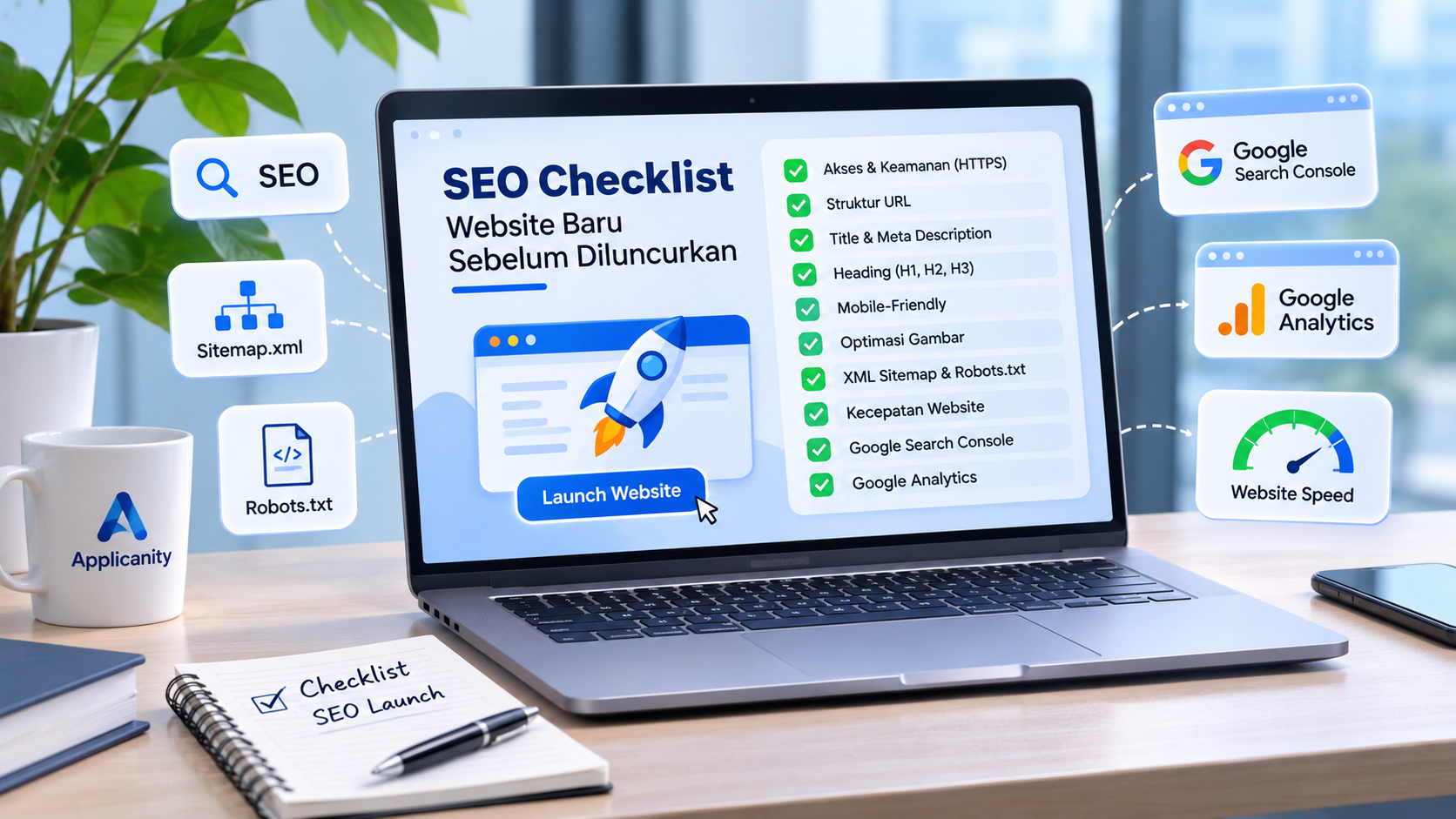
Building a website is not just about creating an attractive design and making sure every page works properly. There is another important aspect that should never be overlooked before publishing a website: SEO (Search Engine Optimization).
SEO is the process of improving a website so that search engines like Google can better understand its content and display it in relevant search results. By applying SEO from the beginning, your website has a better foundation for attracting visitors who are searching for products, services, or information related to your business.
Unfortunately, many website owners only start thinking about SEO after their website has been completed and launched. This can lead to avoidable problems, such as poor page structure, missing sitemaps, incorrect indexing settings, or slow loading times.
To avoid these issues, it is important to prepare your website properly before making it publicly available.
Here is a practical SEO checklist to help you make sure your new website is ready for launch.
1. Make Sure Your Website Is Accessible
The first thing to check is whether your website can be accessed properly without any technical problems.
Make sure all important pages load correctly, display the expected content, and do not show errors. Your domain should also be connected to the correct hosting server.
Another important step is enabling HTTPS. HTTPS protects the connection between your website and its visitors. Websites using HTTPS display an address beginning with https:// and usually show a lock icon in the browser.
Checklist:
-
Your domain is active and points to the correct server.
-
Your website works in different web browsers.
-
HTTPS is enabled and the SSL certificate is valid.
-
No important pages display errors such as 404 or 500.
-
Your preferred www or non-www version works correctly.
-
HTTP automatically redirects to HTTPS.
A website that is accessible and technically stable provides a solid foundation for other SEO improvements.
2. Use Clean and Readable URLs
A URL is the web address used to access a specific page. A good URL should be short, readable, and related to the page content.
Avoid URLs that are unnecessarily long or contain random numbers and complicated parameters.
Example of a poor URL:
www.example.com/page?id=12345&cat=01
Example of a better URL:
www.example.com/blog/website-seo-tips
Readable URLs make it easier for visitors to understand what a page is about before opening it. They can also help search engines understand the topic of the page.
Checklist:
-
URLs contain relevant words.
-
Use hyphens (-) to separate words.
-
Avoid unnecessary URL parameters.
-
Every important page has a unique URL.
-
Avoid changing URLs after launch without setting up proper redirects.
3. Add Title Tags and Meta Descriptions
Every important page on your website should have its own title tag and meta description.
A title tag is the page title that may appear in Google search results. A meta description is a short summary explaining what visitors can expect from the page.
These elements help search engines and potential visitors understand the information available on your website.
Example:
Title Tag:
"Professional Website Development Services | Applicanity"
Meta Description:
"Applicanity provides professional website development, application development, and digital solutions to help businesses grow."
Checklist:
-
Every important page has a title tag.
-
Titles clearly describe the page content.
-
Include the main keyword naturally.
-
Every page has a relevant meta description.
-
Avoid using the same title and description across all pages.
-
Write descriptions that encourage visitors to explore your website.
You do not need to fill your titles and descriptions with as many keywords as possible. Focus on writing clear and useful information.
4. Check Your Heading Structure
Headings help organize website content into sections. They make pages easier to read and help search engines understand how information is structured.
HTML provides six heading levels, from H1 to H6. Each level represents a different level of importance.
For example:
-
H1: The main page title.
-
H2: Main content sections.
-
H3: Subsections under H2.
-
H4 to H6: More specific content levels.
Each page should have a clear main heading. Use H2 and H3 headings to organize the content into logical sections.
Checklist:
-
Every important page has a clear H1.
-
Headings follow a logical structure.
-
Do not use headings only to make text larger.
-
Each heading describes the content below it.
-
Avoid stuffing keywords into headings.
A good heading structure makes your website more organized and easier to understand.
5. Make Your Website Mobile-Friendly
Many people access the internet through smartphones. This means your website must work properly on different screen sizes.
Google also uses the mobile version of a website as the primary version for indexing and ranking.
A website that looks good on a desktop but becomes difficult to use on a smartphone can create a poor experience for visitors.
Checklist:
-
The website adjusts to smartphone screen sizes.
-
Navigation menus are easy to use.
-
Text is readable without zooming.
-
Buttons and links are easy to tap.
-
Images fit properly within the screen.
-
No elements overlap or become difficult to access.
-
Forms work correctly on mobile devices.
Test your website on different screen sizes before launch to make sure visitors can use it comfortably.
6. Optimize Images and File Names
Images make websites more attractive, but unoptimized images can significantly increase loading times.
Before uploading images, reduce their file sizes while maintaining acceptable visual quality.
Use modern image formats such as WebP or AVIF when possible. You should also use descriptive file names instead of random numbers.
Example of a poor file name:
IMG_20261113_001.jpg
Example of a better file name:
professional-website-development.jpg
Do not forget to add ALT text to important images. ALT text describes what an image contains. It helps search engines understand image content and improves accessibility for people using screen readers.
Checklist:
-
Image file sizes are optimized.
-
Use efficient image formats.
-
File names describe the image content.
-
Important images have descriptive ALT text.
-
Image dimensions are appropriate.
-
Use lazy loading for images outside the initial visible area.
7. Create an XML Sitemap
An XML Sitemap is a file containing a list of important URLs on your website. It helps search engines discover pages that they may need to crawl and index.
A sitemap is usually available at:
www.example.com/sitemap.xml
If you use WordPress, SEO plugins such as Yoast SEO or Rank Math can automatically generate a sitemap.
Checklist:
-
An XML Sitemap is available.
-
The sitemap can be accessed without errors.
-
It contains URLs that should be indexed.
-
It does not include unnecessary duplicate or irrelevant pages.
-
It is updated when important pages are added or changed.
After launching your website, submit the sitemap through Google Search Console to help Google discover your pages.
8. Check Your Robots.txt File
Robots.txt is a file that provides instructions to search engine crawlers about which parts of your website they can or cannot access.
It is usually available at:
www.example.com/robots.txt
One common mistake when launching a new website is accidentally blocking search engines from accessing the entire website.
Example of a configuration that should be avoided on a public website:
User-agent: *
Disallow: /
This configuration tells crawlers not to access any part of the website.
Checklist:
-
The robots.txt file is accessible.
-
Important pages are not accidentally blocked.
-
Search engine crawlers can access pages intended for indexing.
-
Include the sitemap location in robots.txt when appropriate.
Remember that robots.txt is not a security feature. Do not use it to protect private pages or sensitive information. Use proper authentication and server access controls instead.
9. Make Sure Important Pages Are Not Set to Noindex
Another setting that can prevent pages from appearing in search results is the noindex directive.
This setting tells search engines not to include a specific page in their search index. It is useful for pages that should not appear in search results.
However, if noindex is accidentally enabled across your entire website, Google may not index your pages at all.
Checklist:
-
Public pages do not have an unwanted noindex directive.
-
Search engine visibility settings are configured correctly.
-
SEO settings have been reviewed for important pages.
-
Staging or development restrictions have been removed before production launch.
If you use WordPress, check Settings > Reading and make sure the option that discourages search engines from indexing your website is disabled when the website is ready for launch.
10. Improve Website Loading Speed
Website speed is an important part of providing a good user experience.
If a website takes too long to load, visitors may leave before they even see the content. This is why performance optimization should be part of your pre-launch preparation.
Here are some improvements you can make:
-
Compress images before uploading them.
-
Enable browser and server caching.
-
Minimize CSS and JavaScript files when appropriate.
-
Remove unnecessary plugins and scripts.
-
Choose hosting that matches your website requirements.
-
Enable compression such as Brotli or Gzip.
-
Use a CDN when necessary.
You can use Google PageSpeed Insights to measure website performance and get recommendations for improvement.
In addition to performance scores, pay attention to Core Web Vitals:
-
LCP (Largest Contentful Paint): Measures how quickly the largest content element becomes visible.
-
INP (Interaction to Next Paint): Measures how responsive the website is when visitors interact with it.
-
CLS (Cumulative Layout Shift): Measures unexpected layout movement while a page loads.
11. Add Internal Links Between Pages
Internal links are links that connect one page to another page on the same website.
For example, an article about SEO can link to your website development service page or another related blog article.
Internal links help visitors discover additional information without having to search manually. They also help search engines understand the relationships between different pages.
Checklist:
-
Important pages receive links from other relevant pages.
-
Use descriptive anchor text.
-
Avoid adding too many irrelevant links.
-
Make sure internal links do not lead to broken pages.
-
Create navigation that is easy to understand.
A well-organized internal linking structure makes your website easier to explore.
12. Connect Your Website to Google Search Console
Google Search Console is a free Google service that helps website owners understand how their websites perform in Google Search.
It allows you to monitor indexed pages, discover indexing problems, see search queries that bring visitors, and review your website's search performance.
Checklist:
-
Your website has been added to Google Search Console.
-
Domain ownership has been verified.
-
Your XML Sitemap has been submitted.
-
There are no critical indexing issues.
-
Important pages can be inspected using URL Inspection.
Google Search Console does not guarantee that your website will immediately appear in Google search results. However, it is an essential tool for monitoring and identifying SEO problems.
13. Install Google Analytics to Track Visitors
SEO is not only about achieving good positions in search results. It is also about understanding how visitors interact with your website.
Google Analytics 4 (GA4) allows you to monitor visitor numbers, popular pages, traffic sources, and different user activities.
With this information, you can identify which content attracts visitors and which parts of your website need improvement.
Checklist:
-
Google Analytics 4 is installed.
-
Website traffic data is being collected.
-
Page views are tracked correctly.
-
Important events are configured when necessary.
-
Privacy and user consent requirements are properly considered.
14. Make Sure Your Website Content Is Ready
Even a technically well-optimized website still needs useful and relevant content.
Before launch, make sure every important page provides clear information that matches the needs of your visitors.
Avoid launching a website with empty pages, placeholder text such as Lorem Ipsum, or content created only to insert keywords.
Checklist:
-
The homepage clearly explains your business or services.
-
An About Us page is available when relevant.
-
Product and service information is complete.
-
The Contact page contains accurate information.
-
Blog articles provide useful information.
-
No unfinished placeholder content remains.
-
There is no unnecessary duplicate content.
Remember, the main purpose of website content is to help visitors find the information they need.
15. Check for Broken Links and 404 Pages
A broken link is a link that leads to a page that no longer exists or cannot be accessed.
Too many broken links can make it difficult for visitors to navigate your website and create a poor user experience.
Before launching, check all internal and external links to make sure they work properly.
Checklist:
-
All navigation menus work correctly.
-
Links lead to the intended pages.
-
Images and files load without errors.
-
A helpful 404 page is available.
-
Redirects are configured for pages that have been moved.
16. Prepare Open Graph Metadata for Social Media
Although SEO focuses on search engines, you should also make sure your website looks good when its links are shared on social media.
Open Graph is a metadata standard used by social platforms to display information such as page titles, descriptions, and images when someone shares a URL.
Checklist:
-
Important pages have an Open Graph title.
-
Open Graph descriptions are configured.
-
Open Graph images are available.
-
Images use appropriate dimensions and aspect ratios.
-
Shared information accurately represents the page content.
With proper Open Graph settings, your website links can look more attractive when shared on Facebook, LinkedIn, and other supported platforms.
Conclusion
Launching a new website is not just about making sure every feature works properly. SEO preparation should also be part of the development process from the beginning.
From URL structures and title tags to image optimization, website speed, XML sitemaps, robots.txt, and Google Search Console integration, every element plays a role in helping search engines understand and discover your website.
SEO results do not happen overnight. A new website needs time to be discovered, indexed, and build trust with search engines. However, preparing a strong SEO foundation before launch can help prevent technical problems and give your website a better opportunity to grow.
Before pressing the publish button, use this checklist to make sure your website is ready for launch.
Need help building a website that is ready for search engines?
Applicanity provides website development services and digital solutions with a focus on quality, performance, and proper website structure. Visit our website to discover how we can help your business grow through digital technology.