

Kubernetes Orchestration: From Theory to Practice - A Complete Guide to Container Orchestration
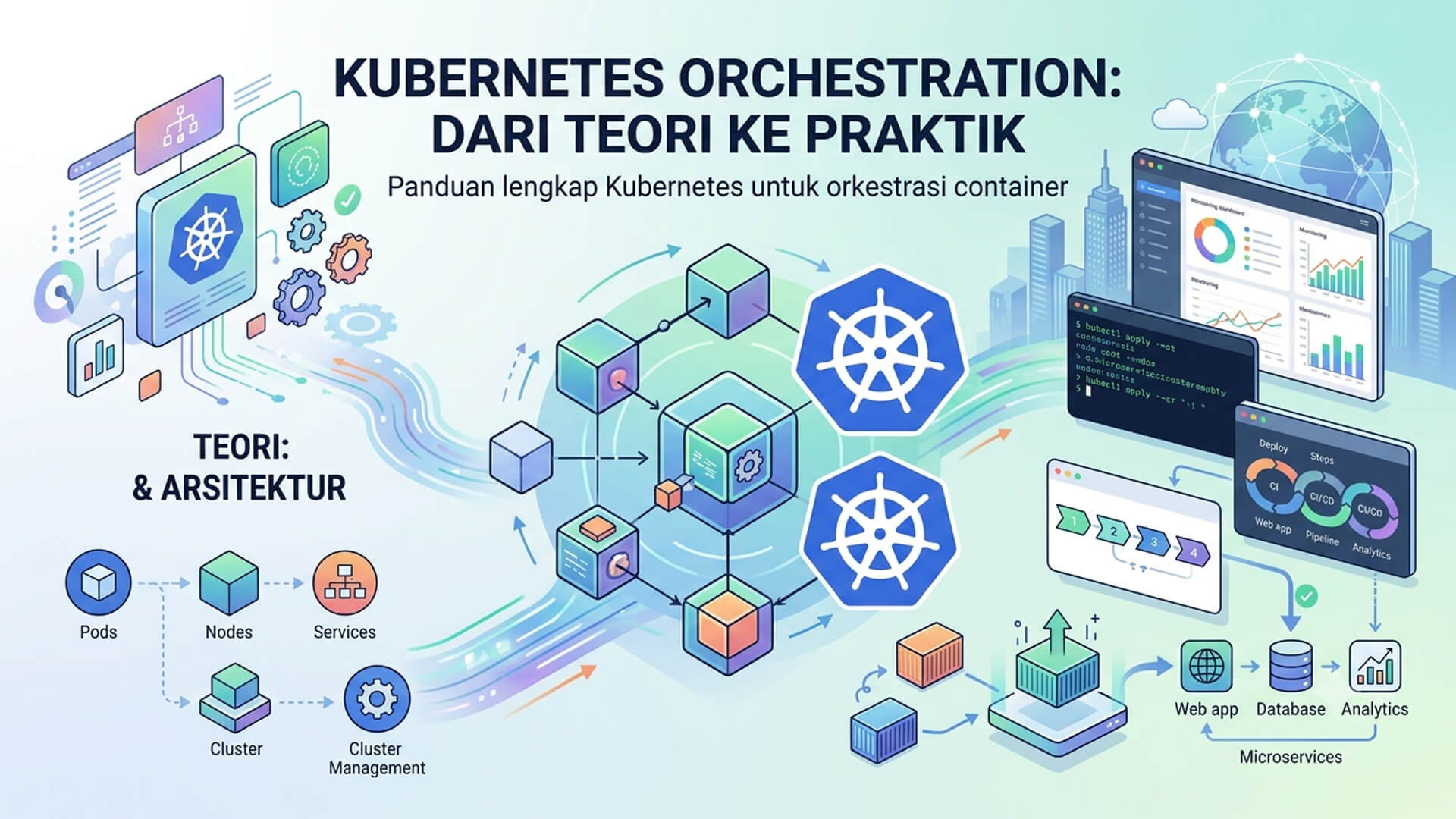
The Critical Role of Container Orchestration in Modern Technology
In the contemporary landscape of software engineering, the transition from monolithic architectures to microservices has become a defining industry standard. This modern approach enables development teams to decompose massive, complex applications into smaller, autonomous components that are typically packaged within lightweight containers like Docker. Containers offer exceptional isolation, environment consistency, and porting capabilities. However, as applications scale to include dozens, hundreds, or even thousands of containers running across diverse environments, manual management becomes an insurmountable challenge. This is where container orchestration platforms become absolutely essential.
Container orchestration refers to the automated lifecycle management of containers, including their deployment, provisioning, scaling, networking, load balancing, and health monitoring. Without a reliable orchestration engine, DevOps teams would spend the majority of their valuable time manually recovering failed containers, adjusting server capacities, and attempting to align infrastructure resources with fluctuating user traffic. Kubernetes has emerged as the global industry standard designed specifically to tackle these complexities, allowing organizations to focus on writing code and delivering features rather than managing low-level infrastructure operations.
Understanding Kubernetes (K8s): The Control Plane of Your Container Infrastructure
Kubernetes, frequently abbreviated as K8s (where the number 8 represents the letters between 'K' and 's'), is an enterprise-grade, open-source container orchestration platform. Originally designed and developed by Google based on their extensive experience running massive internal workloads for over a decade, Kubernetes was donated to the Cloud Native Computing Foundation (CNCF) in 2014. Since its introduction to the open-source community, Kubernetes has evolved into the de facto operating system for cloud-native applications worldwide.
Architecturally, Kubernetes operates by grouping the containers that constitute an application into logical, manageable units called Pods. A Pod is the smallest deployable unit in the Kubernetes ecosystem, containing one or more containers that share the same storage resources and network namespace. Kubernetes abstracts the underlying physical or virtual hardware, transforming a collection of individual servers (known as Nodes) into a unified, centralized cluster of computing power. Utilizing a declarative management model, developers simply define the desired state of their applications, and Kubernetes continuously works behind the scenes to reconcile the actual state with these declarations.
Key Functions and Features of Kubernetes
Kubernetes offers a comprehensive suite of features designed to guarantee application stability, performance, and resource efficiency. The following are the most critical functions provided by the platform:
- Service Discovery and Load Balancing: Kubernetes can easily expose containers using their own IP addresses or a single, stable DNS name. In scenarios where network traffic to a specific container spikes, Kubernetes automatically load balances and distributes the traffic across multiple replicas to maintain application stability.
- Automated Storage Orchestration: The platform empowers you to automatically mount a storage system of your choice, including local disk storage, public cloud storage providers (such as AWS EBS, Google Persistent Disk, or Azure Files), or network-based file systems like NFS.
- Declarative Rollouts and Rollbacks: You can define the desired state of your deployed containers using configuration files. Kubernetes will transition the actual state to this desired state at a controlled pace, allowing you to deploy updates with zero downtime and perform instantaneous rollbacks if anomalies are detected.
- Automatic Bin Packing: You provide Kubernetes with a cluster of nodes and specify the CPU and memory (RAM) requirements for each of your containers. Kubernetes then intelligently schedules and packs these containers onto the nodes to maximize hardware utilization and minimize wasted resources.
- Self-Healing Mechanisms: Kubernetes continuously monitors the health of your workloads. It automatically restarts failed containers, replaces and reschedules containers when physical nodes fail, and blocks network traffic to containers until they pass user-defined readiness probes.
Implementation Steps: A Practical Guide to Deploying on Kubernetes
To successfully translate theoretical knowledge of Kubernetes into a working, real-world deployment, you can follow these systematic implementation steps:
- Step 1: Package Your Application as a Container Image: The process begins by containerizing your application. Write a comprehensive Dockerfile in your project root directory to specify the parent operating system, install necessary dependencies, and define the start command. Build the container image and push it to a secure repository, such as Docker Hub, GitHub Container Registry, or Google Artifact Registry.
- Step 2: Initialize a Kubernetes Cluster: To deploy and test your configurations, you need access to a running Kubernetes cluster. For local development and learning purposes, you can install lightweight tools like Minikube, Kind, or enable the built-in Kubernetes cluster in Docker Desktop. For production environments, utilize managed Kubernetes services like Google Kubernetes Engine (GKE) or Amazon EKS to offload control plane management.
- Step 3: Author Declarative Manifest Files (YAML): Kubernetes configurations are defined declaratively in YAML files. You must create manifest files specifying a Deployment object (which controls the container image version and the number of desired pod replicas) and a Service object (which defines how network traffic is routed to the pods).
- Step 4: Deploy Your Workloads Using Kubectl: Connect your command-line terminal to your cluster and use the official kubectl CLI tool to apply the manifests. Execute the command
kubectl apply -f deployment.yamlto transmit your configuration to the Kubernetes API server, which will immediately begin scheduling your pods onto active nodes. - Step 5: Monitor, Debug, and Scale: Once the application is deployed, monitor its status using commands like
kubectl get pods,kubectl logs, andkubectl describe. To handle increased user demand, you can manually scale your deployment usingkubectl scaleor configure a Horizontal Pod Autoscaler to adjust capacity dynamically based on metrics.
Major Advantages of Adopting Kubernetes
Implementing Kubernetes within your software development and operations lifecycle offers several transformative business and technical advantages:
- Unmatched Scalability: Kubernetes makes scaling seamless. The platform automatically handles unexpected traffic spikes by scaling your application replicas up in seconds, and scaling them back down when demand subsides to conserve resources.
- High Availability and Resilience: The combination of automated self-healing, health checks, and intelligent traffic routing ensures that your applications experience maximum uptime and remain continuously accessible to end-users.
- Multi-Cloud Portability: Because Kubernetes is built on open standards, it prevents vendor lock-in. A declarative YAML manifest created for a local development cluster will run identically on any public cloud provider or private on-premise infrastructure.
- Infrastructure Cost Optimization: Through intelligent bin packing and resource scheduling, Kubernetes ensures that you get the maximum possible value out of your compute infrastructure, minimizing idle server capacity and reducing cloud spend.
Conclusion
Kubernetes has firmly established itself as the cornerstone of the modern cloud-native ecosystem. By automating the entire lifecycle of containerized applications, it successfully bridges the gap between rapid software development and robust operational stability. Although the initial learning curve of the platform can be demanding, dedicating the time to master its core concepts—such as deployments, services, and declarative configuration—will yield immense benefits in terms of development velocity, system reliability, and resource efficiency for your organization.

