Hidden Risks of Never Updating Your Website
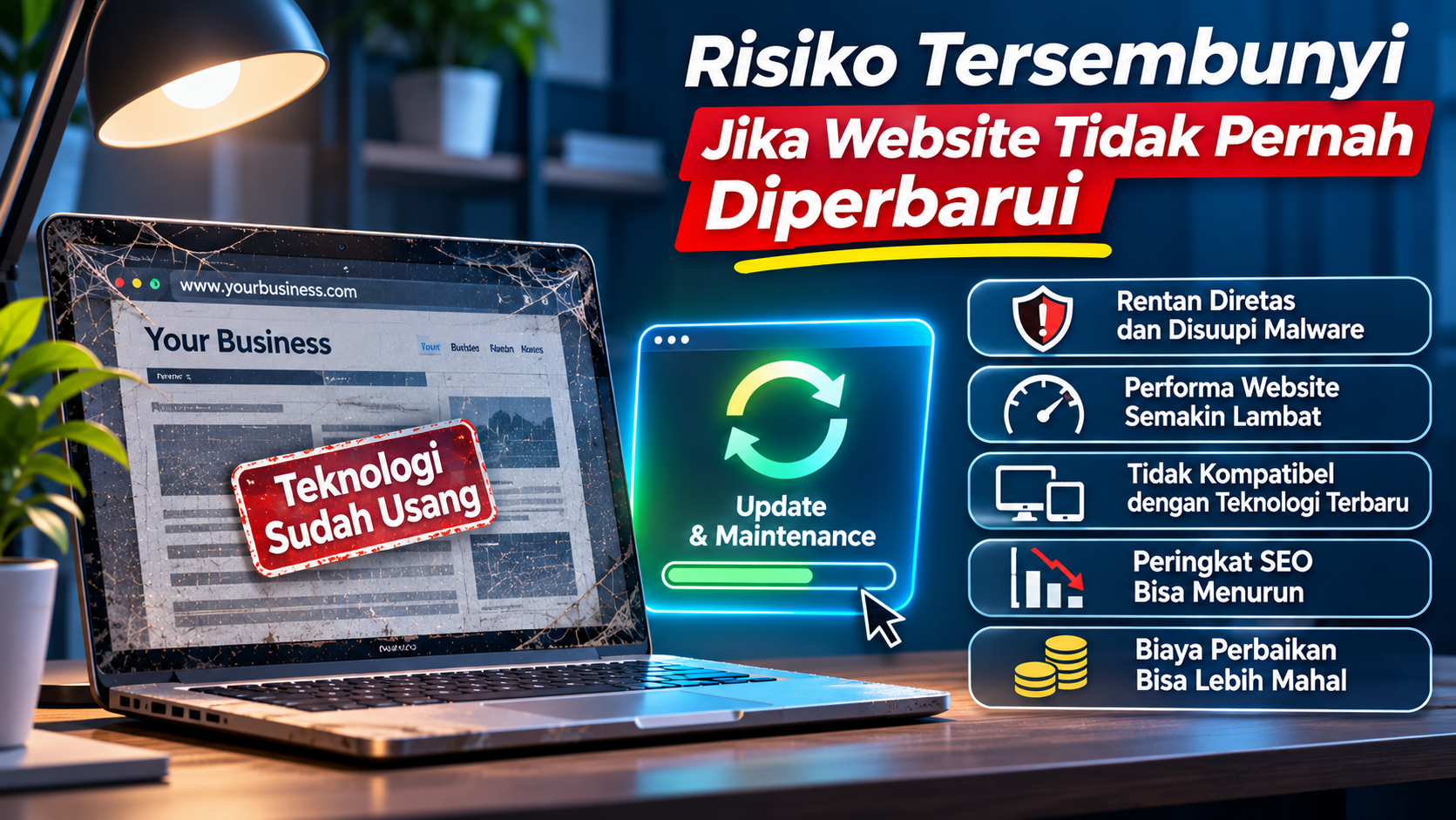
Many business owners believe that once a website is completed, it no longer requires special attention. As long as the website is accessible, the information is visible, and visitors can open its pages, everything seems to be working fine.
However, a website is not a digital asset that should be left untouched after launch.
Just like computers, smartphones, and other software, websites also require regular maintenance and updates. Technology continues to evolve, security standards change, and visitor expectations become higher. A website that is never updated may face various problems, even without its owner's knowledge.
The problem is that not every risk is immediately visible. A website may still open normally, but behind its appearance, it could contain outdated components, security vulnerabilities, declining performance, and systems that are becoming increasingly difficult to develop.
Over time, these issues can create serious problems for a business.
So, what are the hidden risks of never updating your website? Let's explore them one by one.
1. Security Risks Continue to Increase
One of the biggest risks of never updating a website is the increasing possibility of security problems.
Websites are usually built using different components, such as programming languages, frameworks, CMS platforms, plugins, themes, and additional libraries. Each component may contain security weaknesses that are discovered after being used for some time.
When developers discover a vulnerability, they usually release an update to fix it.
If website owners do not install these updates, the vulnerability may remain open and become an opportunity for attackers.
Some possible security risks include:
-
The website becomes infected with malware.
-
User information is stolen.
-
Website pages are modified without permission.
-
The website is used to distribute spam.
-
Attackers gain administrator access.
-
Visitors are redirected to dangerous pages.
-
Important company information becomes exposed.
For example, a website uses a CMS with a plugin that has not been updated for a long time. It turns out that the plugin version contains a publicly known security vulnerability.
An attacker may exploit this weakness to gain access to the website, potentially without knowing the administrator's password.
Why are updates important?
Security updates help fix vulnerabilities discovered in software components. Website owners should regularly monitor updates for their CMS, frameworks, plugins, themes, and other dependencies.
However, updates must also be applied carefully. Make sure backups are available and perform compatibility testing before applying changes to a production website.
2. Your Website Becomes Slow and Less Efficient
A website that is never updated may also experience declining performance.
Web technology continues to evolve. Browsers become more advanced, user devices become more diverse, and website development standards continue to change.
Older websites may still use scripts, libraries, or programming methods that are no longer efficient.
Other common problems found on poorly maintained websites include:
-
Images with excessively large file sizes.
-
Too many unnecessary scripts.
-
Outdated plugins slowing down website operations.
-
Databases filled with unused information.
-
Unoptimized CSS and JavaScript files.
-
Server configurations that no longer match application requirements.
As a result, website pages may take longer to load.
Imagine a potential customer searching for information about your business services. When they open your website, they must wait several seconds before the content appears.
If this experience continues, visitors may leave your website and look for another provider.
Slow websites can also make digital marketing more challenging because user experience and page performance are important aspects of website quality.
What can you do?
Perform regular performance checks using tools such as Google PageSpeed Insights. Review image sizes, page loading times, scripts, and server configurations.
If the problem is caused by outdated technology, consider upgrading the system or migrating to a more suitable solution.
3. Your Website Is No Longer Compatible with Modern Technology
The technology people use to access websites continues to change.
Browsers such as Chrome, Firefox, Safari, and Edge receive regular updates. Operating systems, mobile devices, and third-party services connected to websites also continue to evolve.
A website that is never updated may experience compatibility problems.
For example:
-
Some features stop working in modern browsers.
-
Page layouts display unexpected changes.
-
Forms fail to submit data.
-
JavaScript libraries no longer work properly.
-
API integrations stop functioning.
-
The website performs poorly on newer smartphones.
For example, a website uses an old JavaScript library to provide a specific feature. After a browser update, some functions from that library may no longer behave as expected.
Visitors may simply see buttons that do not work or pages that display incorrectly. Meanwhile, the website owner may not even realize that a problem exists.
Why is this dangerous for a business?
A website should make it easy for customers to find information and use a company's services.
If important features stop working, visitors may lose the opportunity to contact your business, place an order, or complete a transaction.
That is why you should regularly test your website across different browsers and devices.
4. Your SEO Rankings May Decline
Websites that are never updated may also face challenges maintaining their search engine performance.
SEO, or Search Engine Optimization, is the process of improving a website so that people can find it more easily through search engines such as Google.
Many factors influence SEO, including content quality, user experience, page performance, website structure, and security.
If your website is left without maintenance, several problems may appear:
-
Important pages return errors.
-
Internal links point to missing pages.
-
Content becomes outdated or irrelevant.
-
Website loading speed decreases.
-
Page structures no longer match user needs.
-
Sitemaps and canonical URLs are not properly maintained.
-
Important pages become inaccessible to search engines.
For example, a company has an article discussing one of its services. However, the service has changed, and the article has never been updated.
Visitors who read the article may receive information that no longer reflects the company's actual services.
This can reduce user experience and make the content less useful.
It is important to understand that Google does not require every website to publish new content every day. Older content can still rank well if it remains relevant and helpful.
However, inaccurate information, broken pages, and unresolved technical issues can negatively affect website performance.
What should you monitor?
Check your website through Google Search Console. Monitor indexing problems, 404 errors, crawling issues, and changes in search performance.
Update your content whenever the information is no longer accurate.
5. Repair Costs Can Become More Expensive
Many business owners postpone website updates because they want to save money.
At first glance, this decision seems reasonable. If the website is still working, why spend money on updates?
However, delaying maintenance does not always mean saving money.
Small problems that are ignored may eventually develop into much larger issues.
For example:
-
Outdated plugins cause conflicts with other components.
-
Old frameworks require extensive modifications to add new features.
-
Poorly maintained databases reduce performance.
-
Unsupported systems require complicated migration processes.
-
Unfixed security vulnerabilities lead to website attacks.
When these problems accumulate, fixing them may require significantly more time and money.
In some situations, rebuilding the website may become a more reasonable option than maintaining an old system that has become too difficult to manage.
How can you save money?
Perform regular maintenance. Not every update needs to happen at once. Create a schedule for security checks, component updates, performance optimization, and website evaluations.
A gradual maintenance approach is usually easier to plan than waiting until the website experiences serious problems.
6. Website Features No Longer Match Your Business Needs
Businesses continue to grow. Companies may introduce new services, change ordering processes, expand into new markets, or start using other digital systems.
Your website should be able to adapt to these changes.
However, a website that is never updated may still use features and structures designed around business requirements from several years ago.
For example:
-
The website does not have an online ordering form.
-
Customers must contact an administrator to obtain basic information.
-
There is no easy-to-manage product catalog.
-
The website is not integrated with a CRM system.
-
No customer dashboard is available.
-
Payment processes are still handled manually.
As a result, the website may no longer provide enough support for business operations.
Meanwhile, competitors may already offer more modern features, providing customers with a more convenient experience.
Why should you update it?
Review your business requirements regularly and make sure your website includes features that genuinely help customers.
Not every website needs a complex system. A company profile website may only require service information, a portfolio, contact forms, and easily accessible communication buttons.
The most important thing is ensuring that available features match user needs and business goals.
7. Your Website Looks Unprofessional and Reduces Customer Trust
Website appearance is one of the factors that can influence a visitor's first impression of a business.
A website with outdated design, inconsistent layouts, or irrelevant information may create the impression that the company does not pay enough attention to service quality.
Some common signs include:
-
The company logo still uses an old version.
-
Address and contact information are no longer accurate.
-
Page layouts look disorganized.
-
Images appear blurry or incorrectly sized.
-
The website is difficult to use on smartphones.
-
Product and service information is outdated.
-
Some pages are empty or contain broken links.
Imagine a potential customer searching for information about your company. They find a website that still displays promotional information from several years ago, while the company's social media accounts already use a new brand identity.
This situation can create confusion and reduce customer trust.
A website is not simply a place to display information. It is also a digital representation of your company.
That is why your website's design, information, and visual identity should always reflect your current business.
8. The Risk of Losing Data Becomes Greater
Websites that are rarely maintained often have backup systems that are not properly managed.
However, data is one of the most valuable assets of any website.
Imagine your website experiences server damage, database errors, or a malware attack. Without available backups, you may lose important information.
Potentially affected data includes:
-
Website articles and pages.
-
Customer information.
-
Product details.
-
Transaction history.
-
Important documents and files.
-
Information submitted through visitor forms.
-
Application settings.
Website updates are important, but backups are another essential part of maintenance that should never be ignored.
Before performing major updates, make sure all important data has been backed up.
Ideally, backups should run automatically and be stored separately from the primary server. You should also perform recovery tests to confirm that the backups can actually be restored.
9. Third-Party Integrations May Stop Working
Modern websites often connect to external services such as payment gateways, email systems, WhatsApp, shipping services, analytics platforms, and other APIs.
These integrations allow websites to provide different features without building every system from scratch.
However, third-party services also change over time.
APIs may receive updates, authentication methods may change, and older services may eventually be discontinued.
If your website is never updated, integrations that previously worked correctly may stop functioning.
For example:
-
Contact forms no longer send emails.
-
Payment systems fail to process transactions.
-
Shipping integrations stop displaying delivery costs.
-
API data can no longer be displayed.
-
Third-party login systems return errors.
Problems like these can directly affect business operations.
That is why you should monitor documentation and update announcements from the services you use. Make sure your website integrations continue to use supported methods.
10. Your Website Becomes Difficult to Develop in the Future
The final risk that many business owners overlook is the increasing difficulty of developing their website when business requirements change.
Older websites may have poorly organized code, incomplete documentation, or technologies that are becoming difficult to find developers for.
As a result, every new feature takes more time to develop.
Developers must first understand how the existing system works, identify relationships between different code sections, and fix problems that may appear during modifications.
Over time, this situation can limit a business's ability to innovate.
For example, a company wants to turn its website into an online ordering platform. However, the old system does not have an architecture that supports this feature.
Instead of making extensive and potentially risky modifications, the company may need to consider renovating the website or migrating to newer technology.
A website should be built not only for current requirements but also with enough flexibility to support future development.
Checklist: Has Your Website Been Outdated for Too Long?
Use the following checklist to evaluate the condition of your business website.
- The CMS, framework, or plugins have not been updated for a long time.
- The website still uses unsupported technology.
- The website is not responsive on smartphones.
- Pages take too long to load.
- Some features no longer work.
- Company or product information is outdated.
- Some links are broken or pages return errors.
- The website does not have regular backups.
- Security checks are rarely or never performed.
- Adding new features has become difficult.
If several of these points describe your website, it may be time to start an evaluation and maintenance process.
Do not wait until the website experiences serious damage or loses a large number of visitors.
How to Maintain Your Website and Keep It Secure and Efficient
Updating a website does not have to be complicated. With a regular maintenance schedule, business owners can reduce many potential risks.
Here are some practical steps you can take.
1. Update your CMS, framework, and plugins
Check for available updates regularly. Make sure the versions you use still receive security support.
2. Perform regular backups
Keep copies of your website files and database. Make sure backups are stored securely and can be restored.
3. Check website security
Use strong passwords, enable additional authentication when available, and restrict administrator access to authorized people.
4. Monitor website performance
Use performance testing tools to identify whether your website is experiencing slower loading times.
5. Test all website features regularly
Make sure forms, contact buttons, login systems, transactions, and integrations continue to work properly.
6. Update information and content
Ensure service information, prices, addresses, contact numbers, and other content accurately reflect your current business.
7. Perform regular website audits
Evaluate security, performance, SEO, design, and feature requirements to keep your website relevant.
For an active business website, monthly checks can be a good starting point. However, security update schedules should follow the urgency and recommendations provided by the developers of the technologies you use.
Conclusion
A website that is never updated may look perfectly fine from the outside. However, behind its appearance, there may be various risks affecting security, performance, SEO, customer trust, and business operations.
These risks do not always appear immediately. Some problems develop gradually until they eventually cause serious damage or expensive repairs.
That is why business owners need to understand that a website is not simply a project that ends after launch. It is a digital asset that requires continuous maintenance and development.
Apply updates carefully, maintain backups, review security, and make sure all features continue to support your business requirements.
Do not wait until your website experiences problems before starting maintenance. Preventing issues early is usually easier and more affordable than repairing damage that has already occurred.