CyberPanel vs cPanel: Which Hosting Control Panel Is Better?
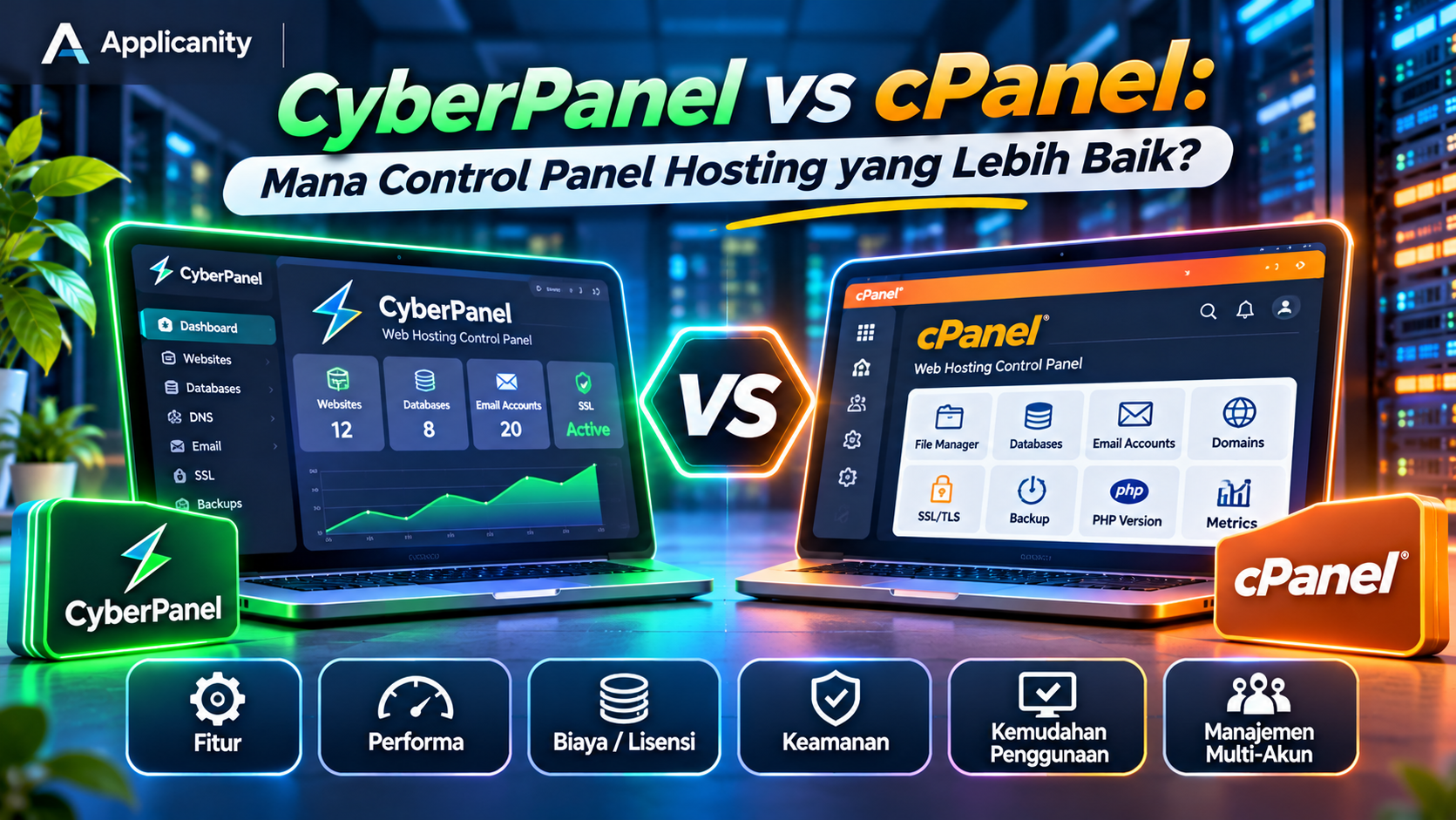
Choosing the right hosting control panel is an important decision when managing websites on a VPS or dedicated server. A control panel makes server administration easier by providing a graphical interface, allowing users to manage hosting services without performing every task through command-line instructions.
Two popular options are CyberPanel and cPanel. Both provide tools for managing websites, databases, email accounts, domains, and SSL certificates. However, they have different approaches, features, and pricing models.
CyberPanel is known for its integration with OpenLiteSpeed and its free core version. cPanel, on the other hand, is a commercial hosting control panel that has been widely used by hosting providers and server administrators for many years.
So, which one should you choose? Is CyberPanel a suitable replacement for cPanel, or is cPanel still the better option?
Let's compare their features, performance, pricing, security, and use cases to help you make the right decision.
1. What Is a Hosting Control Panel?
Before comparing CyberPanel and cPanel, it is important to understand what a hosting control panel does.
A hosting control panel is a web-based application that helps users manage a server and its hosting services through a graphical interface.
With a hosting control panel, you can perform tasks such as:
-
Creating and managing websites.
-
Configuring domains and subdomains.
-
Creating MySQL or MariaDB databases.
-
Managing email accounts.
-
Uploading and managing website files.
-
Installing SSL certificates.
-
Changing PHP versions.
-
Creating backups and restoring data.
Without a control panel, many of these tasks must be performed through a command-line interface or terminal. This approach offers greater control but requires knowledge of server administration.
A control panel makes server management more convenient, especially when you need to manage multiple websites on one server.
2. What Is CyberPanel?
CyberPanel is a web-based hosting control panel designed to simplify Linux server management. One of its main differences from other control panels is its integration with OpenLiteSpeed and LiteSpeed Enterprise.
OpenLiteSpeed is a free, open-source web server. It supports modern web technologies, including HTTP/3 and caching features that can help improve website performance.
CyberPanel provides several tools for managing hosting services, including:
-
Website and domain management.
-
Database management.
-
Email account management.
-
DNS management.
-
FTP configuration.
-
File management.
-
SSL certificate installation.
-
PHP version management.
-
Backup and restore.
-
LiteSpeed Cache integration.
-
Server service management.
One of CyberPanel's biggest advantages is its free core version. Users can install it on a supported VPS or dedicated server without purchasing a control panel license.
However, some additional features and the use of LiteSpeed Enterprise may require separate payments. In other words, the core control panel is free, but not every optional component or service is necessarily free.
3. What Is cPanel?
cPanel is a commercial hosting control panel that is widely recognized in the web hosting industry. Many hosting companies use it because it provides a mature website management system with a large ecosystem of integrations and support resources.
cPanel is commonly used together with WHM (Web Host Manager). Each product has a different purpose:
-
cPanel: Used by hosting account owners to manage websites, email, databases, files, and domains.
-
WHM: Used by server administrators and hosting providers to create and manage multiple cPanel accounts.
The combination of cPanel and WHM is especially useful for companies offering shared hosting or reseller hosting services.
Some of the features available in cPanel include:
-
File Manager.
-
Database management through phpMyAdmin.
-
Domain and subdomain management.
-
Email Accounts.
-
FTP Accounts.
-
SSL/TLS management.
-
Backup and restore.
-
PHP version management.
-
Application installation tools provided by the hosting environment.
-
Hosting account management through WHM.
One reason cPanel remains popular is its familiarity. Many hosting customers have used it before, and there are plenty of tutorials, documentation resources, and hosting providers that support it.
Its main disadvantage is the licensing cost. The expense can become more significant as the number of hosting accounts increases.
4. CyberPanel vs cPanel: Feature Comparison
Both control panels are designed to make hosting management easier, but there are several important differences.
| Category | CyberPanel | cPanel |
|---|---|---|
| License | Free and open-source core version | Paid license |
| Main web server | OpenLiteSpeed or LiteSpeed Enterprise | Commonly Apache, with other supported configurations |
| Interface | Modern and relatively simple | Familiar with a broad range of features |
| Website management | Available | Available |
| Database management | MySQL/MariaDB | MySQL/MariaDB |
| Email and DNS | Available | Available |
| SSL | Supports Let's Encrypt | Supports SSL management |
| Caching | Integrated with the LiteSpeed ecosystem | Depends on server configuration and additional technologies |
| Multi-account management | Supports user and website management | Integrated with WHM |
| Ecosystem | Growing, focused on LiteSpeed | Large and well established |
| Target users | VPS users, developers, and server administrators | Hosting providers, resellers, and server administrators |
Keep in mind that actual performance, features, and service availability may vary depending on the software version, server configuration, operating system, and license plan.
5. Pricing: Which One Is More Affordable?
Pricing is one of the most noticeable differences between CyberPanel and cPanel.
CyberPanel
CyberPanel provides a free core version that works with OpenLiteSpeed. Users do not need to pay a monthly control panel license fee to use its basic features.
However, there may be additional expenses, such as:
-
LiteSpeed Enterprise licenses if you need the commercial web server.
-
Premium add-ons for specific features.
-
VPS or dedicated server costs.
-
External backup storage.
-
Server administration services if you do not manage the server yourself.
CyberPanel is an attractive option for users who want to reduce software licensing costs and are comfortable managing their own server.
cPanel
cPanel uses a paid licensing model. The license cost depends on the selected plan and the number of hosting accounts managed by the server.
As a reference, the official cPanel Cloud license prices at the time this article was prepared are:
| Plan | Account limit | Monthly price |
|---|---|---|
| Solo | 1 account | US$29.99 |
| Admin | Up to 5 accounts | US$35.99 |
| Pro | Up to 30 accounts | US$53.99 |
| Premier | Up to 100 accounts | US$69.99 |
The Premier plan charges an additional fee for accounts beyond the first 100. Prices may change and may not include applicable taxes or fees from hosting providers.
For someone managing only one or two websites on a VPS, the cPanel license may feel relatively expensive. However, for a hosting company managing many customers, the license can be considered part of its operational costs.
Pricing verdict: CyberPanel is more attractive when comparing basic control panel licensing costs. However, a proper cost calculation should also include server resources, optional licenses, backups, security, and administration time.
6. Performance: Is CyberPanel Faster?
Website performance is not determined by the control panel alone. Server specifications, web server configuration, database optimization, caching, image sizes, and application code also have a major impact.
That said, CyberPanel has an advantage through its integration with OpenLiteSpeed.
OpenLiteSpeed is designed to handle website requests efficiently. The LiteSpeed ecosystem also provides caching features that can help improve website performance, particularly for WordPress websites.
For example, WordPress users can install the LiteSpeed Cache plugin to take advantage of server-level caching. When configured correctly, frequently accessed pages can be served faster without running PHP and database operations from the beginning every time.
cPanel, meanwhile, is not a web server. It is a control panel used to manage different server services. A server running cPanel may use Apache or a combination of other technologies, depending on its configuration and hosting provider.
Therefore, it would be inaccurate to claim that every CyberPanel server is automatically faster than every cPanel server.
A fair performance comparison should use similar conditions, including the same VPS specifications, application, visitor traffic, and caching configuration.
7. Ease of Use
A control panel with many features is not necessarily the easiest option for everyone. Ease of use depends on your experience and requirements.
Using CyberPanel
CyberPanel has a relatively modern interface with menus for managing websites, email, databases, DNS, and server services.
For users who are familiar with VPS administration, the interface is generally straightforward. However, some server administration tasks still require knowledge of Linux, SSH, file permissions, web server configuration, and system services.
CyberPanel is a good fit for users who want to manage their own servers and are willing to learn basic server administration.
Using cPanel
cPanel has an interface that is already familiar to many hosting customers.
Many hosting providers use cPanel, so users can usually find tutorials for managing email, databases, files, and domains.
WHM also provides tools for administrators who need to create hosting accounts, configure packages, and manage customers.
For beginners, cPanel may feel more familiar, especially if they have previously used a shared hosting service.
8. Security: Which One Is Safer?
Security does not depend on the control panel alone. The operating system, firewall configuration, software updates, access policies, and administrator practices are also important.
CyberPanel provides several security features and integrations that can help administrators, including SSL management, firewall tools, ModSecurity, and server access configuration. However, administrators must still make sure these features are properly configured and maintained.
cPanel also provides security management capabilities, including SSL configuration, account management, and integrations with additional security products.
Regardless of which control panel you choose, the following practices remain important:
-
Use strong and unique passwords.
-
Enable additional authentication where available.
-
Update the operating system and applications regularly.
-
Restrict SSH and administrative panel access.
-
Use a firewall to block unnecessary ports.
-
Make sure websites use valid SSL certificates.
-
Create regular backups and store copies in a separate location.
-
Monitor server logs for suspicious activity.
Do not assume that a server is secure simply because the control panel includes built-in security features. Security still requires proper configuration and regular maintenance.
9. Managing Multiple Websites and Hosting Accounts
This is an important consideration for developers, digital agencies, and hosting companies that manage multiple websites.
CyberPanel can manage several websites on a single server. Users can create websites, configure domains, databases, email accounts, and other hosting requirements through one dashboard.
This approach is convenient for developers or agencies managing multiple client websites on a single VPS.
cPanel provides a more structured approach through the combination of cPanel and WHM. Administrators can create separate hosting accounts for different customers.
For example, imagine a hosting company with 30 customers. Each customer can receive an individual cPanel account to manage their website, email, database, and files without having administrator access to the main server.
This model is particularly useful for shared hosting and reseller hosting businesses.
If your main requirement is managing many customers with clearly separated hosting accounts, cPanel and WHM offer a mature multi-account workflow.
10. Advantages and Disadvantages of CyberPanel
Advantages of CyberPanel
-
Its core version is available for free.
-
Integrated with OpenLiteSpeed.
-
Supports LiteSpeed Cache for WordPress.
-
Provides website, database, email, and DNS management.
-
Supports multiple PHP versions.
-
Has a modern interface.
-
Suitable for VPS users and developers.
-
Does not require a basic control panel license fee.
Disadvantages of CyberPanel
-
Users need basic server administration knowledge.
-
Some additional features require separate payments.
-
Its ecosystem and familiarity are not as widespread as cPanel's.
-
Certain configurations may need adjustments during migration.
-
Troubleshooting may require terminal access and server log analysis.
11. Advantages and Disadvantages of cPanel
Advantages of cPanel
-
It has been used in the hosting industry for many years.
-
Provides extensive tutorials and documentation.
-
Its interface is familiar to many hosting customers.
-
The combination of cPanel and WHM supports multiple hosting accounts.
-
Suitable for hosting providers and reseller hosting businesses.
-
Has a broad integration ecosystem.
-
Many hosting companies offer cPanel-based services.
Disadvantages of cPanel
-
Requires a paid license.
-
Licensing costs can increase as the number of accounts grows.
-
Server resource usage still needs to be monitored.
-
Some additional features require separate products or licenses.
-
Less attractive for users who want to avoid recurring licensing fees.
12. When Should You Choose CyberPanel?
CyberPanel can be a good choice if your requirements include the following:
1. Managing a personal or business website
If you have your own VPS for a company website, blog, or online store, CyberPanel provides many of the basic tools needed to manage it.
2. Managing multiple client websites
Developers and digital agencies can use CyberPanel to manage several client websites on one server, provided that account separation and resource requirements are planned properly.
3. Reducing licensing costs
If you want to avoid monthly control panel licensing fees, the free core version of CyberPanel is worth considering.
4. Using the LiteSpeed ecosystem
If your website uses WordPress and you want to take advantage of LiteSpeed Cache, CyberPanel with OpenLiteSpeed can be a suitable option.
5. Having server administration skills
CyberPanel is more suitable if you are comfortable with Linux, SSH, and basic server configuration.
13. When Should You Choose cPanel?
cPanel is a better fit for certain requirements, especially when hosting account management is a priority.
1. Running a shared hosting business
If you want to provide hosting services to multiple customers, cPanel and WHM offer a widely recognized management workflow.
2. Providing reseller hosting services
Account separation and access management are important in reseller hosting. The combination of cPanel and WHM can help meet these requirements.
3. Prioritizing a mature ecosystem
If you need a control panel with extensive documentation, tutorials, integrations, and support from hosting providers, cPanel is a strong option.
4. Managing hosting for non-technical customers
Customers who are already familiar with cPanel usually do not need much time to learn how to manage their websites.
5. Using a hosting service that already includes cPanel
If your hosting provider includes a cPanel license in its hosting package, you may not need to purchase a separate license.
14. Can You Migrate from cPanel to CyberPanel?
Yes, but migrating between control panels is not always as simple as copying website files.
A control panel migration needs to consider several components, including:
-
Website files.
-
Databases.
-
Email accounts and mailbox contents.
-
DNS records.
-
SSL certificates.
-
PHP versions and extensions.
-
Cron jobs.
-
Rewrite and redirect rules.
-
Application configuration and file permissions.
One important consideration is the difference between web servers. A website that previously ran on Apache and used .htaccess rules may need adjustments when moved to OpenLiteSpeed.
OpenLiteSpeed supports many commonly used rewrite rules, but not every Apache .htaccess directive has identical compatibility. Therefore, do not assume that all existing configurations will work without changes.
Before migrating, create a complete backup and test the website on the destination server. If possible, use a temporary domain or a local hosts file to verify the website before changing DNS records.
Do not remove the old server until all websites, email accounts, databases, SSL certificates, and related services have been tested successfully.
15. Conclusion: CyberPanel vs cPanel, Which One Is Better?
There is no single control panel that is the best choice for everyone. CyberPanel and cPanel each have their own advantages.
CyberPanel is attractive for users who want to manage their own VPS, reduce licensing costs, and take advantage of the OpenLiteSpeed ecosystem. It is suitable for developers, website owners, and digital agencies with basic server administration skills.
cPanel is more suitable for hosting providers, reseller hosting businesses, and administrators who need to manage multiple accounts through the mature cPanel and WHM ecosystem.
If you only manage a few websites and are comfortable administering a VPS, CyberPanel is worth considering. However, if you operate a hosting business with many customers who need separate accounts, cPanel may provide a more suitable workflow.
Ultimately, choose a control panel based on your operational requirements, technical skills, budget, and website growth plans. Do not make your decision based only on price or performance claims.
A server with proper configuration, strong security, and regular maintenance can deliver good results regardless of which control panel you use.